Why QuickFlo
A workflow is only part of a solution.
QuickFlo began with contact-center integrations: route a call, look up a customer, sync the result, notify a team. The business logic was usually straightforward. Everything around it—credentials, retries, deployment, monitoring, and handoff—was not.
We built QuickFlo so the useful part could stay visible, without leaving the system around it to be rebuilt for every project.
One system from input to answer
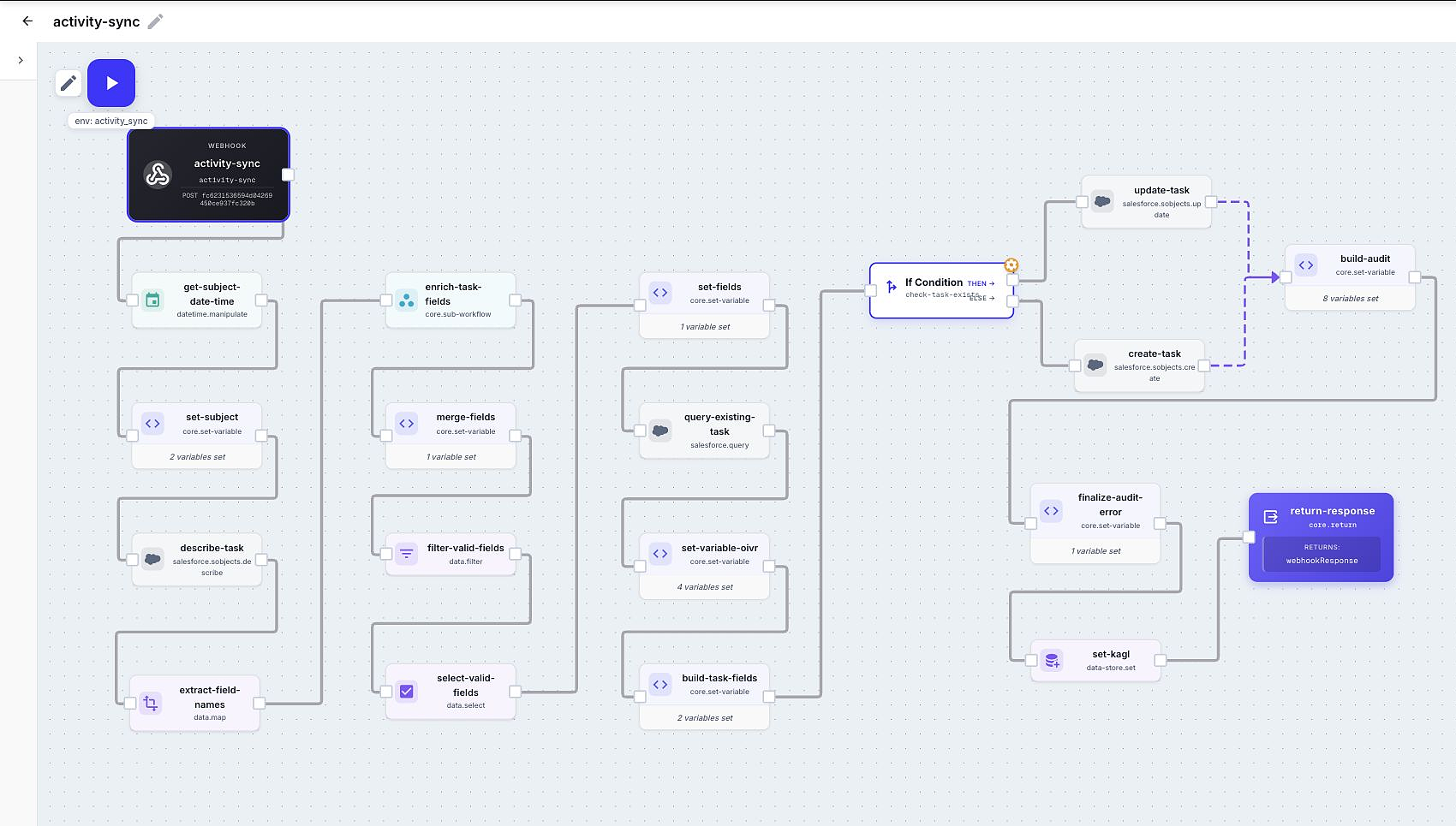
Section titled “One system from input to answer”Start from the event. Run the same workflow from a webhook, schedule, form, chat, or connected-service event.
Build the path on a canvas. Call APIs, transform data, branch, loop, work with files and audio, or add AI where it earns its place.
Return or keep the result. A workflow can answer its caller, store state for the next run, and make stored results available to a dashboard.
Reuse what works. Connections keep credentials out of workflow logic. Environments change configuration safely. Sub-workflows and packages turn a good solution into a repeatable one.
Designed for real operations
Section titled “Designed for real operations”Every run has an execution record: the input, each step’s output, timing, and errors. Add business attributes such as an order ID or customer name, then search for the run that matters.
Temporary failures can retry. Expected failures can branch. A failed step does not need to become a scavenger hunt through unrelated tools.
Build either way
Section titled “Build either way”Use the canvas when you know the path. Open Flo Agent when it is faster to describe the outcome. Both produce the same editable workflow, so you can start conversationally and finish precisely.
The aim is simple: get from an operational idea to a dependable result with as little ceremony as possible.