
Code Step
The Code step is an escape hatch. Use it when a small TypeScript program is clearer than a long chain of general-purpose steps, or when an existing package already solves the problem well.
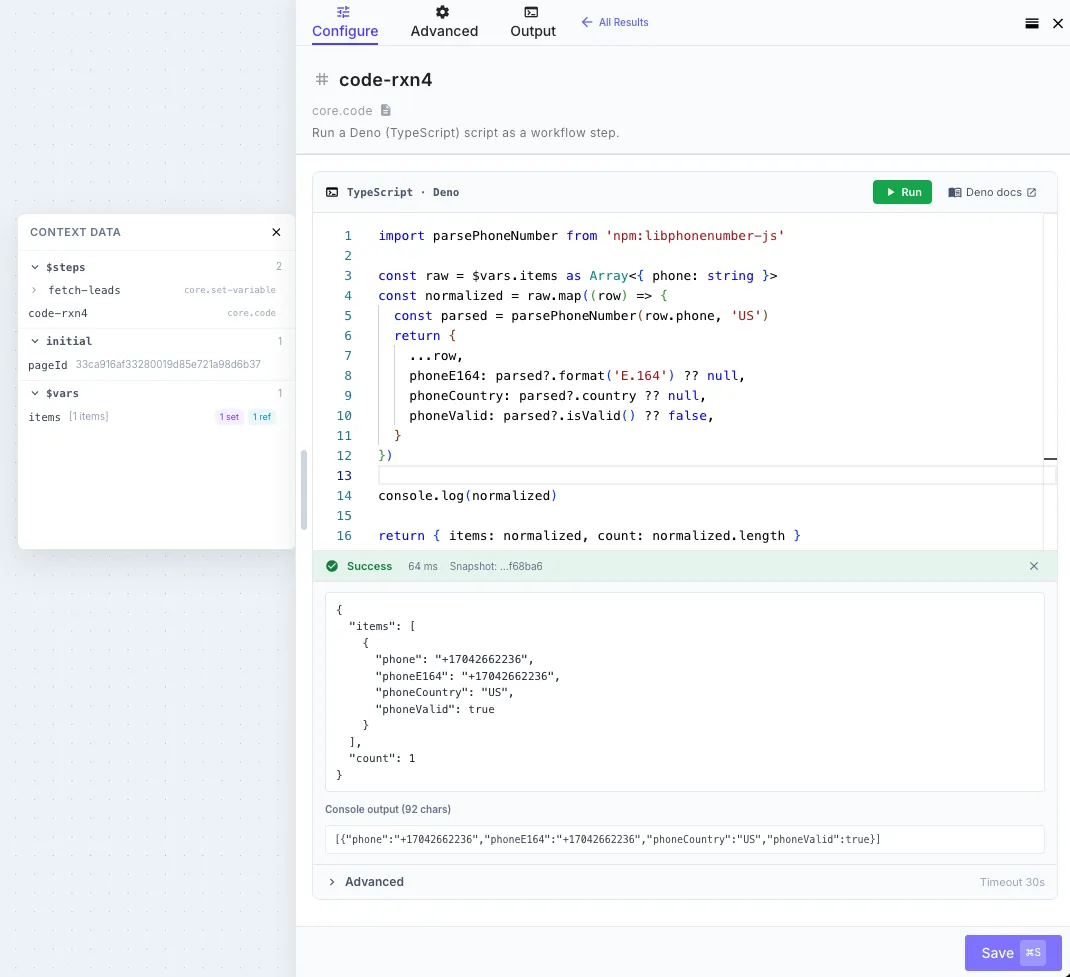
You write the body of an asynchronous function. QuickFlo provides workflow data in scope; whatever you return becomes the step output.
const customer = $steps['fetch-customer'].body
return {  customerId: customer.id,  active: customer.status === 'active',}
Downstream steps can now reference {{ my-code.customerId }} and {{ my-code.active }}.
When to use it
Section titled “When to use it”Use a Code step when:
- a maintained npm or JSR package already handles the job;
- a focused transformation is substantially clearer in TypeScript;
- several branches need intermediate values or reusable functions;
- you are proving a pattern before deciding whether it deserves a first-class step.
Prefer dedicated steps for HTTP calls, AI, files, common data transformations, and control flow. They are easier to inspect and operate.
Choose the guide
Section titled “Choose the guide”| You need to | Read |
|---|---|
| Understand available data, imports, console output, return values, and errors | Inputs, imports, and outputs |
| Work locally, understand the sandbox, or design around limits and loops | Development and limits |
| Start from complete TypeScript examples | Examples |
| Understand workflow retry and recovery behavior | Error Handling |
The editor
Section titled “The editor”The editor provides TypeScript diagnostics, package imports, workflow-aware autocomplete, inline documentation, captured console output, and a Run action. Run the workflow once to give autocomplete the actual shape of earlier step outputs.