Why QuickFlo
Where It Started
Section titled “Where It Started”QuickFlo grew out of contact center and telephony work. We spent years building custom integration layers on top of platforms like Five9, Twilio, Cisco and Salesforce — real-time agent lookups, call data syncs, IVR routing, post-call workflows, voicemail handling. Every customer had the same core needs, but each engagement meant building another bespoke service from scratch.
The pattern was always the same: an HTTP server, a handful of API clients, retry logic, error handling, a deployment pipeline, monitoring. Weeks of infrastructure work to ship what amounted to a page of business logic. And when AI-powered voice and chat agents started entering the picture, the complexity multiplied — but the underlying scaffolding was identical.
So we built the tool we wished we had. A system flexible enough to handle any integration, with the right primitives built in so you’re not bolting on external services for every new requirement. Something where you describe the data flow and the platform handles execution, retries, scaling, and deployment.
It started as an internal tool for repackaging workflows across our customers. It turned out the pattern wasn’t specific to contact centers — every team building integrations and automations was doing the same thing.
These aren’t features we added to check a box. Audio processing, speech services, synchronous API responses, and environment management are foundational to QuickFlo because they were the first problems we solved.
A Post-Call Workflow, Before and After
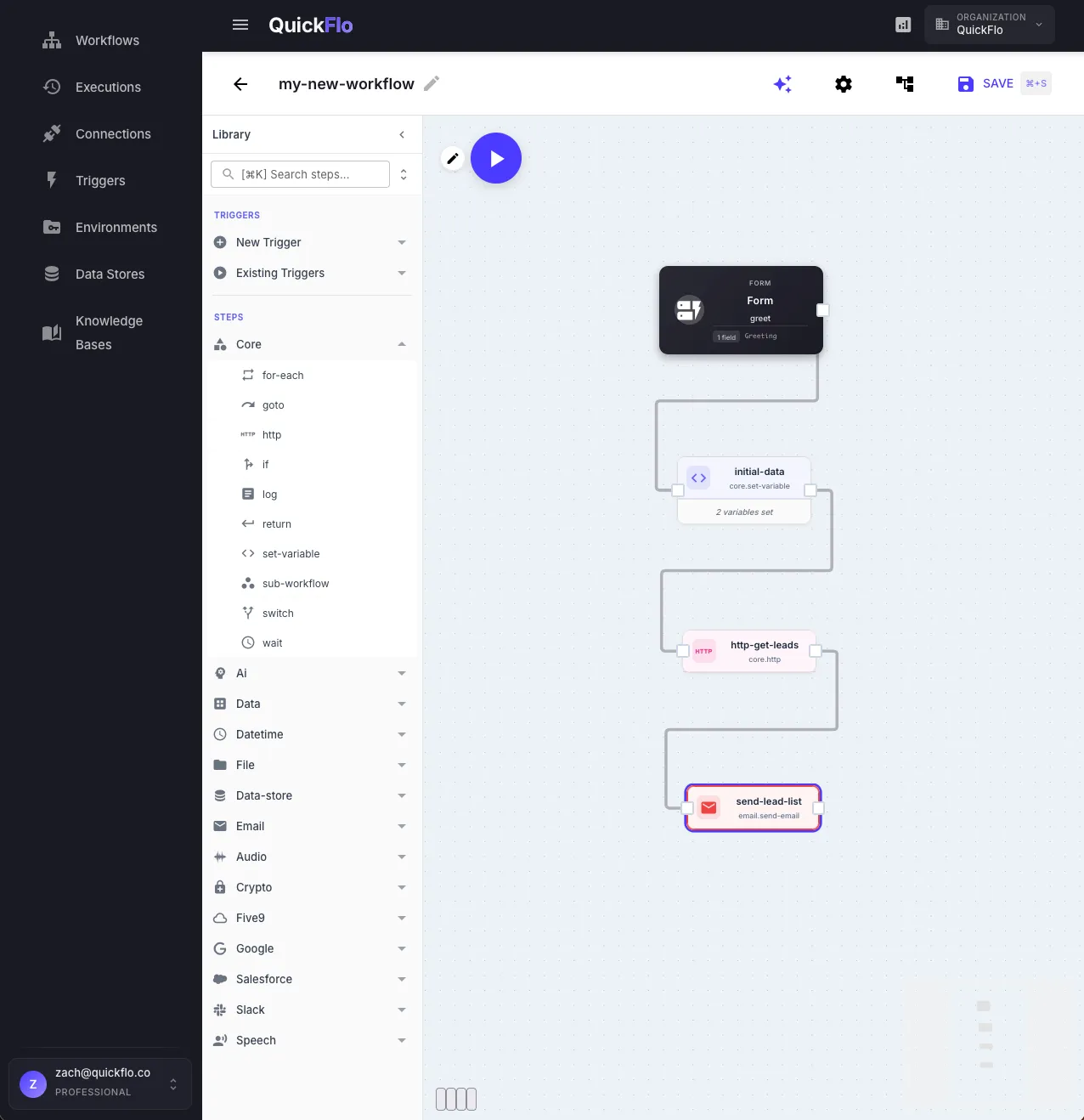
Section titled “A Post-Call Workflow, Before and After”Before QuickFlo, a typical post-call automation required an Express service, a Salesforce API client, a Twilio API client, retry logic, error handling, and a deployment pipeline — weeks of infrastructure work for a page of business logic.
Now it’s a 6-step workflow behind a webhook URL. Same logic. No server, no deployment, no infrastructure to maintain.
What Makes It Different
Section titled “What Makes It Different”Audio and speech are first-class primitives. Convert between audio formats, trim and merge clips, and run multi-provider speech-to-text and text-to-speech — all as configurable steps. Audio conversion, trimming, and merging are built into the platform. No other workflow platform has native audio processing. Built for voice AI and telephony, useful anywhere.
Environments with per-request override. Swap connections and variables per environment without changing your workflow. Test a production workflow against staging connections by adding ?env=staging to the webhook URL — no redeployment, no configuration files, no separate workflow copies.
The AI Builder queries your actual platform. It doesn’t generate templates from general knowledge. It queries your live step schemas, connections, and platform docs to produce workflows you can deploy immediately. Ask it to build a workflow that calls your Salesforce connection to look up a contact and return the result — it knows your connections by name, knows the step accepts a SOQL query field, and produces a deployable workflow. Learn more
AI and RAG are managed by the platform. LLM calls with structured output, AI agents with tool use, and Knowledge Bases with semantic search. No vector database to provision, no embedding pipeline to build, no retrieval chain to configure.
Workflows are API endpoints. Add a Return step and your workflow responds synchronously to the caller — your workflow is an environment-aware microservice. Combine this with ?env=staging on the URL and you have a versioned, testable API without a server or deployment pipeline.
Data transformation without code. Map, filter, reduce, sort, group by, and join are named steps you configure in a form — not code buried in a script node or chained through complex module configurations.
Built for Production Teams
Section titled “Built for Production Teams”Sub-workflows let you compose workflows as reusable units — call them like functions from other workflows. Build once, reference everywhere.
Searchable execution attributes let you tag runs with business context (order ID, customer name, ticket number) and filter across thousands of executions instantly. Debug production issues without digging through logs.
Form triggers turn any workflow into an internal tool. Build approval flows, data entry forms, or operational dashboards backed by real workflow logic — without a separate frontend.
Clipboard export as JSON means workflows are portable. Copy them between projects, share with your team, or version them in git.
What QuickFlo Is Not
Section titled “What QuickFlo Is Not”QuickFlo is not a 5,000-app integration directory. It’s not a code-first scripting platform. It’s a workflow engine that gives developers the right primitives — HTTP, data transformation, AI, audio, speech, crypto — to build production services visually and ship them as API endpoints.