Sub-Workflow
The sub-workflow step (core.sub-workflow) executes another workflow as a nested step inside your parent workflow. This lets you break complex automations into smaller, reusable pieces — define a workflow once, then call it from any number of other workflows with different inputs.
How It Works
Section titled “How It Works”- Create a workflow template — a standalone workflow with defined inputs and outputs
- Add a sub-workflow step in the parent workflow and select the template
- Pass inputs — the parent provides values for the template’s input parameters
- Receive outputs — the template’s Return step defines what gets sent back to the parent
The sub-workflow runs with its own execution context but inherits the parent’s environment and connections.
Creating a Workflow Template
Section titled “Creating a Workflow Template”Any workflow can become a template. Open Workflow Settings and enable the Template toggle at the bottom. This makes the workflow available for selection in sub-workflow steps.
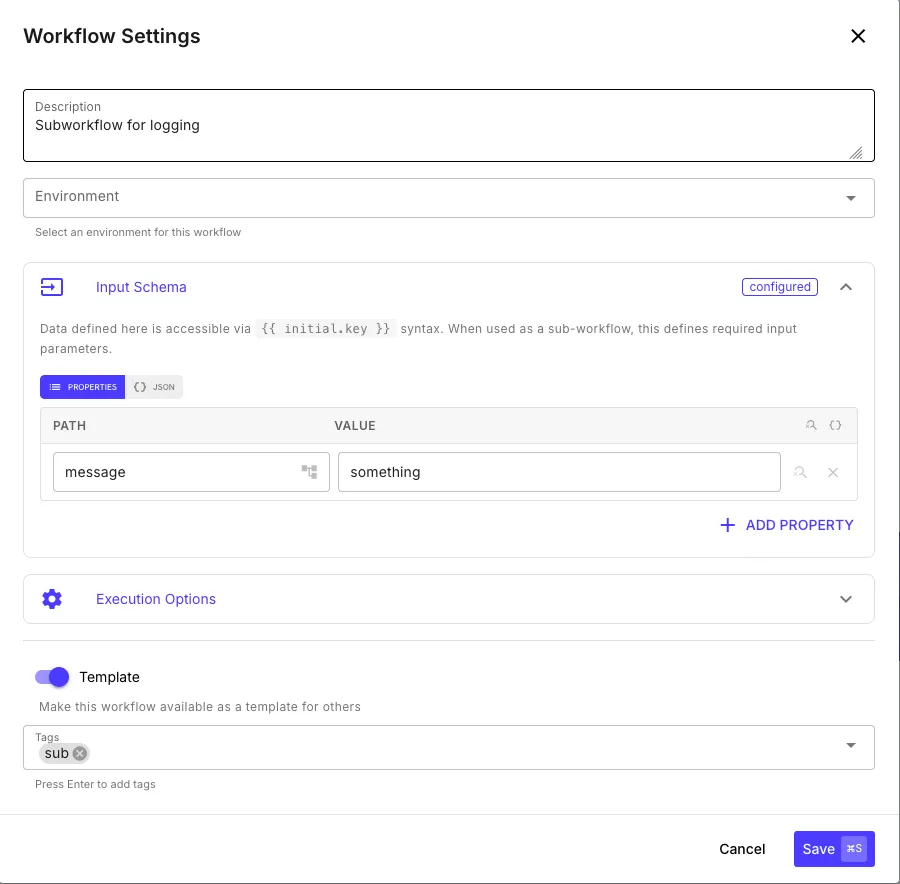
Use the Input Schema to define the parameters your template accepts. Each property becomes a required input that the parent workflow must provide. Inside the sub-workflow, these are accessible via {{ initial.key }} syntax.
Defining Outputs with a Return Step
Section titled “Defining Outputs with a Return Step”Add a Return step to your template to define what data gets sent back to the parent workflow. Each key-value pair you add becomes an output field.
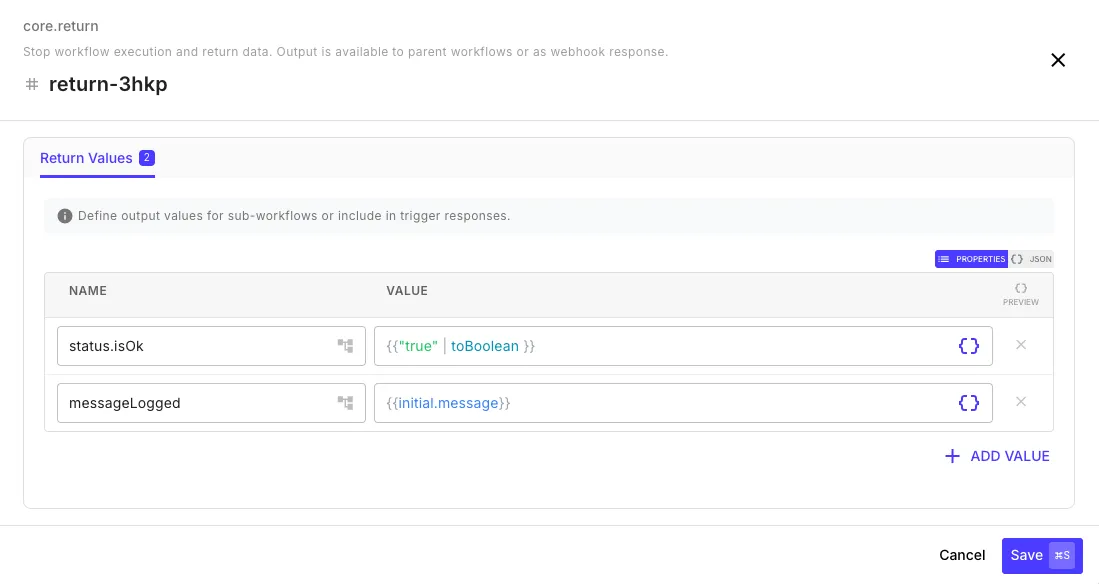
Any key-value pairs you set here become the output of the sub-workflow step in the parent.
Using the Step
Section titled “Using the Step”In the parent workflow, add a Sub-Workflow step. The step editor shows:
- Workflow Template — dropdown to select which template to run
- Template Inputs — auto-generated input fields based on the template’s Input Schema
- Expected Outputs — read-only list showing the fields the template’s Return step will produce
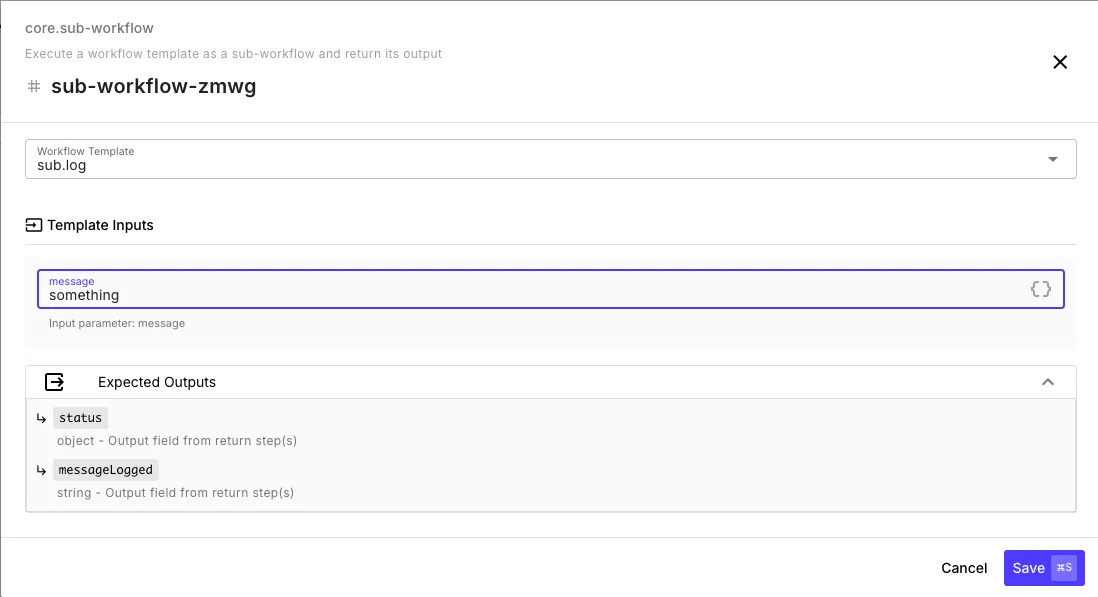
In this example, the parent calls the sub.log template, passes "something" as the message input, and can see that the template will return status (object) and messageLogged (string).
After the sub-workflow step runs, reference its outputs by the step ID:
{{ sub-workflow-zmwg.status }}{{ sub-workflow-zmwg.messageLogged }}Limits
Section titled “Limits”- Max nesting depth: 10 levels (sub-workflows can call other sub-workflows, up to 10 levels deep)
- Circular references: prevented — a workflow cannot call itself, directly or indirectly
- Execution context: each sub-workflow gets its own
$varsnamespace — variables don’t leak between parent and child