
Set Variable
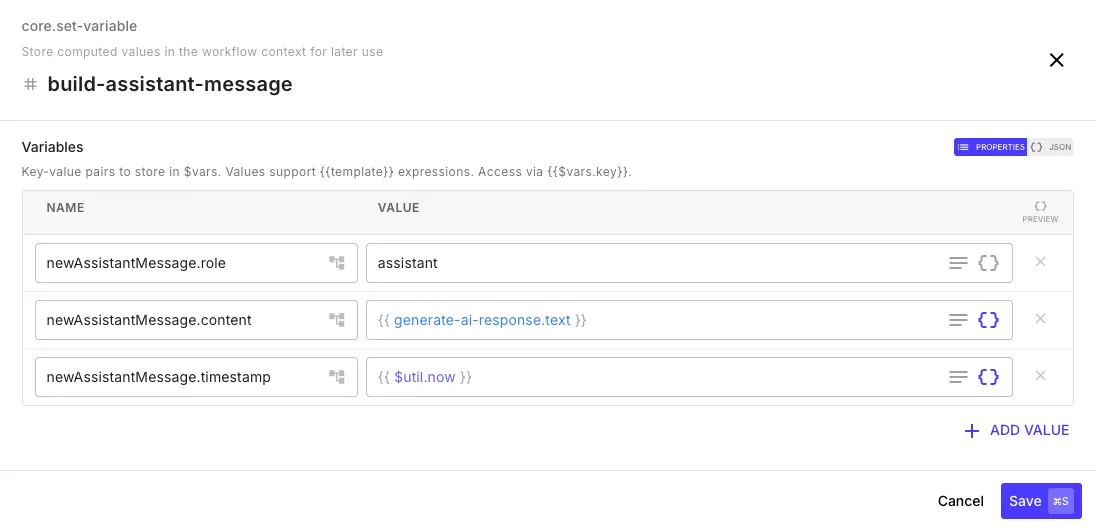
The set variable step stores key-value pairs in the $vars namespace, which persists across the entire workflow execution. The step editor shows a key-value form where you define variable names and their values.
How It Works
Section titled “How It Works”Each set-variable step merges its output into the existing $vars — it doesn’t replace them. This means values accumulate and you can update individual keys without losing others.
First set-variable step — initialize some state:
| Key | Value |
|---|---|
offset | 0 |
hasMore | true |
items | {{ $util.emptyArray }} |
Later set-variable step — update specific keys (the others are preserved):
| Key | Value |
|---|---|
offset | 100 |
items | {{ $vars.items | arrayConcat: fetch-page.body.data }} |
After this, $vars contains { offset: 100, hasMore: true, items: [...] }.
Common Patterns
Section titled “Common Patterns”Accumulating inside a for-each loop:
| Key | Value |
|---|---|
processedCount | {{ $vars.processedCount | plus: 1 }} |
Storing computed values for later steps:
| Key | Value |
|---|---|
fullName | {{ initial.firstName }} {{ initial.lastName }} |
isVip | {{ initial.totalOrders | gte: 100 }} |
Access variables anywhere in the workflow:
{{ $vars.processedCount }}{{ $vars.fullName }}