
HTTP Step
The HTTP step makes requests to external APIs. The step editor has a familiar HTTP Client interface with tabs for Params, Headers, Body, and Advanced.
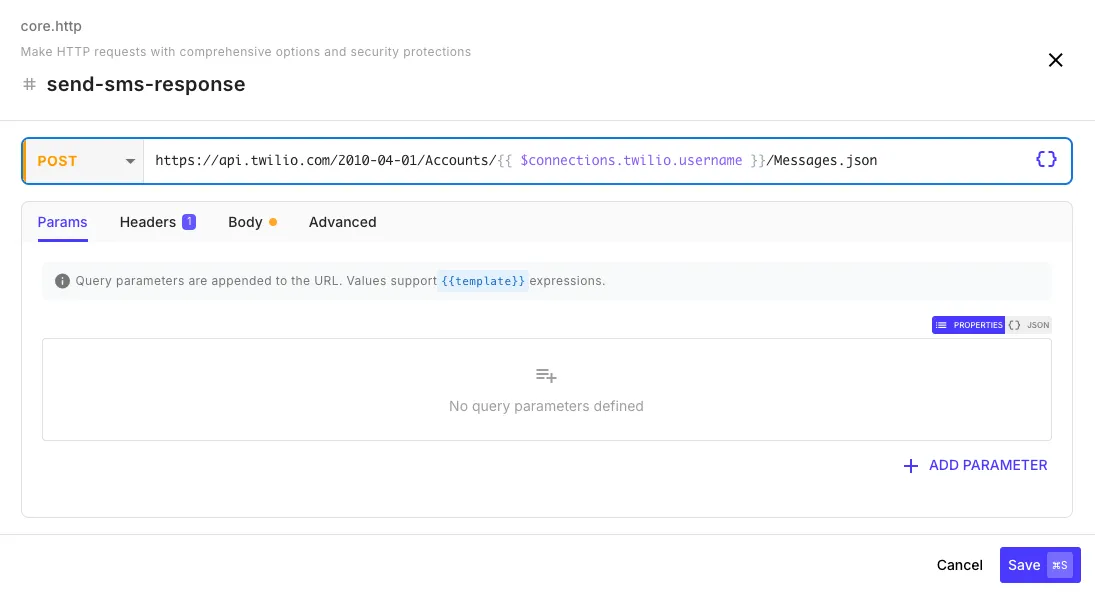
Request Fields
Section titled “Request Fields”| Field | Description | Example |
|---|---|---|
| URL | The endpoint to call. Supports templates. | https://api.example.com/users/{{ initial.userId }} |
| Method | HTTP method dropdown | GET, POST, PUT, PATCH, DELETE |
Params tab — Add query parameters as key-value pairs. These are merged with any parameters already in the URL.
Headers tab — Add request headers as key-value pairs:
| Header | Value |
|---|---|
Authorization | Bearer {{ $env.API_TOKEN }} |
X-Custom-Header | {{ initial.tenantId }} |
Body Tab
Section titled “Body Tab”Select a body type from the dropdown:
JSON — A JSON editor for structured request bodies. Content-Type is set automatically.
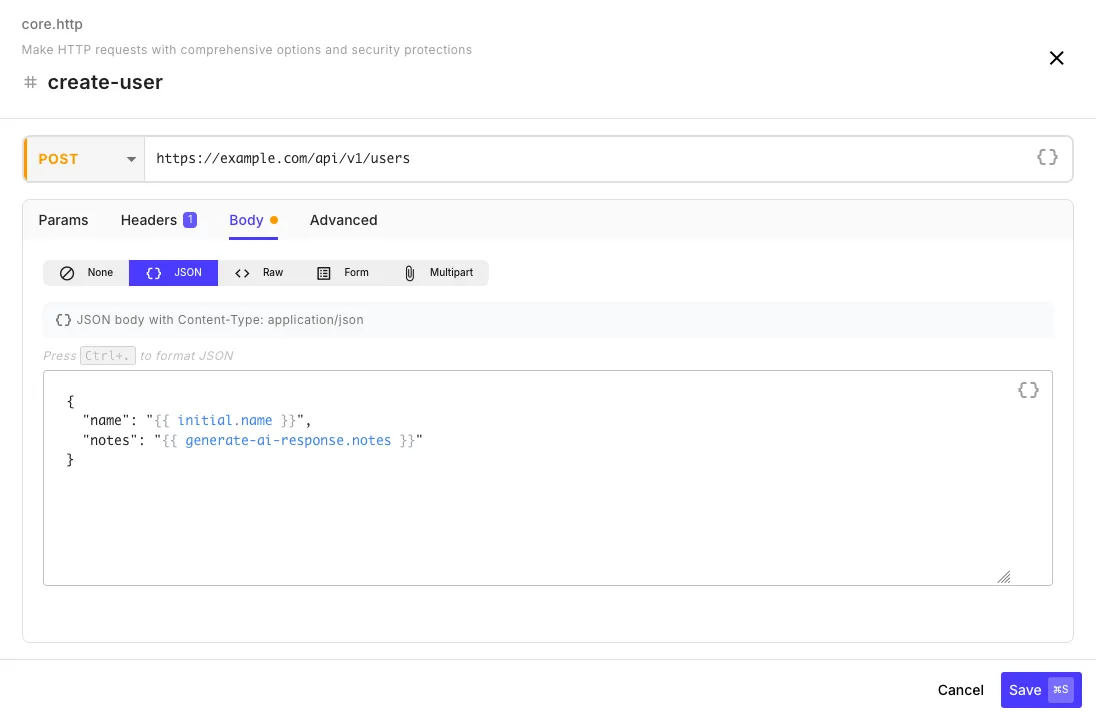
| Key | Value |
|---|---|
customerId | {{ initial.customerId }} |
action | sync |
Form — URL-encoded key-value pairs (application/x-www-form-urlencoded):
| Key | Value |
|---|---|
grant_type | client_credentials |
client_id | {{ $env.CLIENT_ID }} |
Raw — A text editor for XML, plain text, or any custom format. Set the Content-Type header manually in the Headers tab.
Multipart — For file uploads. Add fields with a name, value, and optional filename/content type.
Advanced Tab
Section titled “Advanced Tab”| Field | Default | Description |
|---|---|---|
| Timeout | 30 seconds | Max wait time (up to 30 minutes) |
| Follow Redirects | on | Automatically follow 3xx redirects |
| Max Redirects | 10 | Maximum redirect hops |
| Retry Attempts | 2 | Retries on transient errors (timeouts, 429, 5xx) |
Response Output
Section titled “Response Output”After the step runs, reference the response in later steps:
{{ my-http-step.status }} // HTTP status code (200, 404, etc.){{ my-http-step.ok }} // true if 2xx status{{ my-http-step.body }} // Parsed response (JSON/XML auto-detected){{ my-http-step.body.users }} // Access nested fields from JSON response{{ my-http-step.text }} // Raw response text{{ my-http-step.headers }} // Response headersResponse bodies are automatically parsed as JSON or XML based on content type. If parsing fails, the raw text is returned in body.
Using Connections for Auth
Section titled “Using Connections for Auth”The HTTP step doesn’t use connections directly. Instead, reference credentials in the Headers tab via templates:
| Header | Value |
|---|---|
Authorization | Bearer {{ $env.API_TOKEN }} |
Authorization | {{ $connections.my-api.apiKey }} |
For OAuth-based API calls with automatic token refresh, use the dedicated integration steps (e.g., Salesforce, Google Sheets) which handle token refresh on 401/403 automatically.